
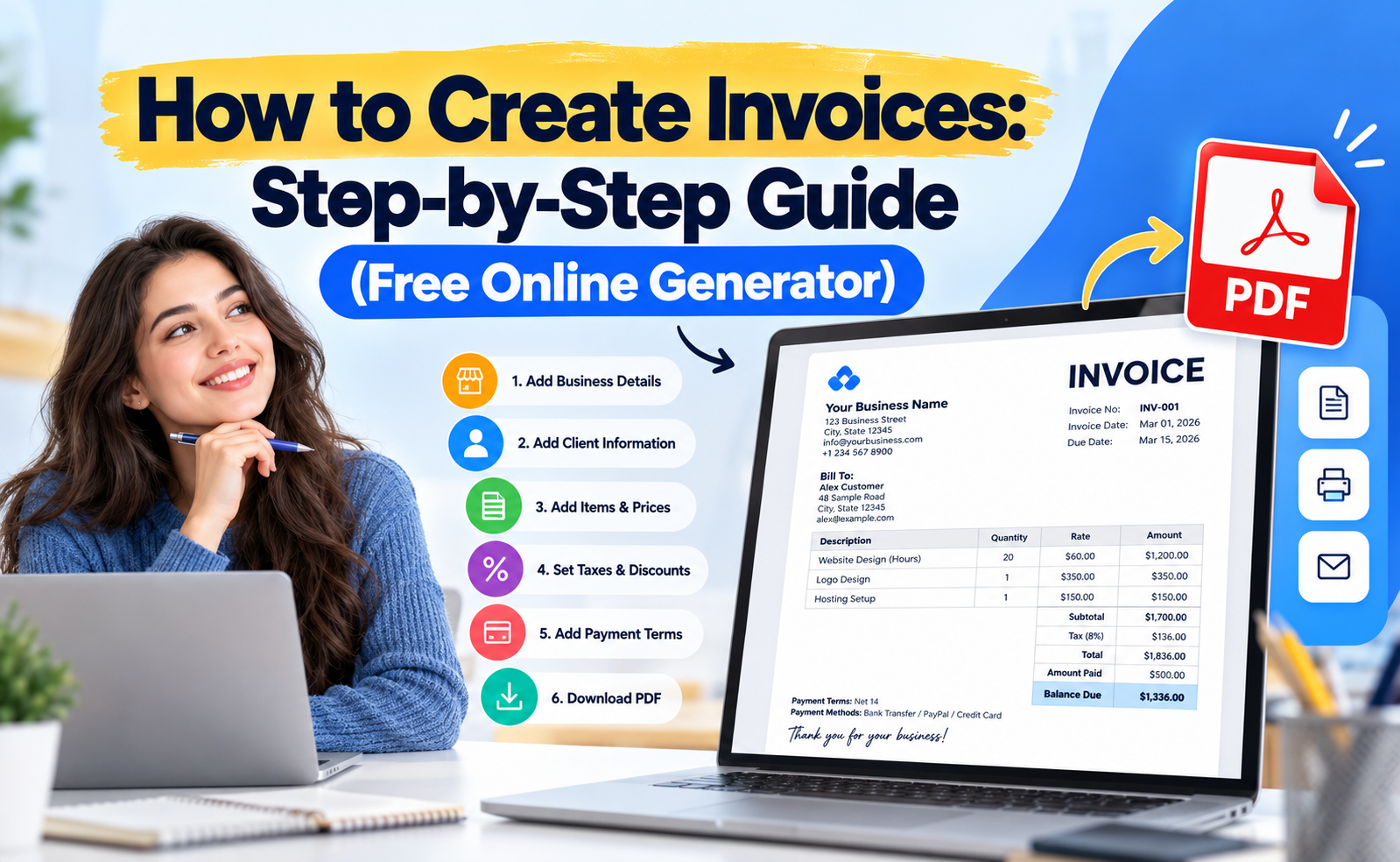
You create an invoice by listing your business details, the client's details, a unique invoice number, the items or services sold, the total with tax, and clear payment terms. Do it in a free online tool and you can download a finished PDF in about two minutes.
This guide shows exactly how to create invoices, what an invoice must include, and how to create an invoice for free using the FreeGenLab Invoice Generator. It works for freelancers, small businesses, and shop owners, with no sign-up.
Quick Answer: How to Create an Invoice
- Add the word "Invoice" and a unique invoice number.
- Add your business name, address, and contact details.
- Add your client's name and billing address.
- List each item or service with quantity and price.
- Add tax, discount, and the total due.
- Write the due date and payment instructions.
- Save it as a PDF and send it to your client.
What Is an Invoice?
An invoice is a commercial document a seller sends to a buyer. It lists what was sold, the price, the total due, and when to pay. It is a formal request for payment and a legal record of the sale, which you also need for accounting and tax filing.
What to Include in an Invoice
A professional invoice always contains:
- The word "Invoice" at the top.
- Invoice number: unique and sequential, like INV-0001.
- Invoice date and due date.
- Your business details: name, address, phone, email, logo.
- Client details: name or company and billing address.
- Description of goods or services.
- Quantity, unit price, and line total for each item.
- Subtotal, tax, and discount, each on its own line.
- Total amount due, in bold.
- Payment terms and methods: bank details, JazzCash, Easypaisa, PayPal, or a payment link.
- Tax numbers such as NTN or STRN where they apply.
How to Create an Invoice Step by Step
Step 1: Pick a Clean Invoice Format
Keep the layout simple: your details at the top, client details below, an itemized table in the middle, and the total at the bottom right. A ready-made invoice template saves you from designing this yourself.
Step 2: Add Your Business Information
Enter your business name, address, phone, email, and logo. This tells the client exactly who to pay and builds trust.
Step 3: Add Your Client's Information
Write the client's full name or company name, billing address, and email. Wrong details cause payment delays and disputes.
Step 4: Create an Invoice Number and Add Dates
Use one numbering system and never repeat a number. Simple formats work well: INV-0001, INV-0002, or a year-based format like 2026-001. Add the issue date and a due date. Common payment terms are Due on Receipt, Net 7, Net 15, and Net 30.
Step 5: List Your Items or Services
Add one line per item with a short description, quantity, rate, and amount. Be specific. "Website design, 5 pages" is better than "Design work." For hourly work, show hours and hourly rate.
Step 6: Add Tax, Discounts, and Shipping
Apply the correct tax rate and show tax as its own line. If you give a discount, show it clearly so the client sees the saving.
Step 7: Add Payment Terms and Methods
Tell the client how and when to pay. Add your bank account details, mobile wallet number, or payment link, plus any late-fee terms. A short "Thank you for your business" note works well.
Step 8: Review, Download, and Send
Check names, numbers, and totals. Download the invoice as a PDF and email it to your client. Keep a copy for your records.
How to Create an Invoice Number
An invoice number is a unique ID for each invoice. It lets you and your client find any invoice later, and it keeps your books and tax records in order. If you are asking how to create an invoice number, pick one pattern and stay with it.
| Format | Example | Best for |
|---|---|---|
| Simple sequence | INV-0001, INV-0002 | Freelancers and small shops |
| Year + sequence | 2026-001 | Businesses that reset numbering each year |
| Date based | INV-20261020-01 | Daily or high-volume billing |
| Client + sequence | ACME-001 | Agencies with repeat clients |
Three rules keep numbering clean: never reuse a number, never skip numbers without a reason, and never edit a sent invoice. If you made a mistake, cancel it and issue a new invoice with the next number.
Create an Invoice Online for Free (Under 2 Minutes)
You do not need Word, Excel, or paid software to create an invoice online. The free FreeGenLab Invoice Generator is a simple invoice creator that works in your browser:
- Open the invoice generator.
- Enter your business details and your client's details.
- Add items, quantities, and rates. Totals calculate automatically.
- Add tax, discount, notes, and payment instructions.
- Choose your currency, then download the PDF.
Why people use it to create a free invoice online:
- 100% free, with no sign-up needed.
- Multi-currency support for local and international clients.
- Private. Your data stays in your browser.
- Works on mobile, tablet, and desktop.
- Instant PDF that is ready to email or print.
Invoice Template and Example
If you want to create an invoice template you can reuse, copy the layout below. A free invoice template should always keep the same structure, so each new invoice only needs new items and a new number.
Invoice No: INV-0001 | Date: 20 Oct 2026 | Due: 04 Nov 2026 (Net 15)
From: Your Business Name, address, phone, email
Bill to: Client Name, billing address, email
| Description | Qty | Rate | Amount |
|---|---|---|---|
| Logo design | 1 | 15,000 | 15,000 |
| Social media banners | 5 | 2,000 | 10,000 |
Subtotal |
25,000 |
||
| Discount (10%) | -2,500 | ||
| Total due | 22,500 |
Payment: Bank transfer, JazzCash, or Easypaisa. Account details: add yours here.
Note: Thank you for your business.
You can build this exact layout in one click with the free invoice template generator.
How to Create an Invoice in Word, Excel, Google Docs, QuickBooks, PayPal, and Square
Many people search for how to create an invoice in a specific app. Each method works, but they differ in speed and effort.
| Method | How it works | Best for | Main drawback |
|---|---|---|---|
| Free online generator | Fill a form, download a PDF | Anyone who wants speed | Fewer accounting features |
| Word | Use a template, edit text and totals by hand | One-off invoices | Manual math, layout shifts |
| Excel | Use formulas for line totals and tax | Repeat billing with a tracker | Setup time, formula errors |
| Google Docs | Use a template, share or export as PDF | Teams already on Google | Totals are manual |
| QuickBooks | Add the customer, items, and send from the dashboard | Growing businesses | Paid subscription |
| PayPal | Create an invoice from the Invoicing tool and email it | Clients paying by PayPal | Fees on payments |
| Square | Create an invoice in the dashboard or app | Shops already using Square | Works best with Square payments |
If you only want to create an invoice quickly, an online generator is the fastest path. Use accounting software such as QuickBooks when you need recurring billing, expense tracking, and reports. When you create an invoice in Word, Excel, or Google Docs, always double-check the totals, because nothing calculates them for you unless you add formulas.
Creating Invoices for Small Business and Freelance Work
Creating invoices for a small business is about consistency. Use the same template, the same numbering, and the same payment terms every time. Clients learn what to expect, and you spend less time chasing money.
If you are learning how to create an invoice for freelance work, add these extras:
- Project name or reference so the client can match it to their records.
- Hours and hourly rate for time-based work, or a fixed price for a project.
- Milestone or deposit lines when you bill in stages, for example 50% upfront.
- Late payment terms, such as a fixed fee or a monthly percentage after the due date.
- A short scope note that says what the invoice covers.
Invoice as soon as the work is delivered. The longer you wait, the longer you wait to get paid.
Create a Tax Invoice Online
If your business is registered for sales tax or VAT, you normally need a proper tax invoice instead of a plain bill. It usually shows your tax registration number, the buyer's details where required, the tax rate, and the tax amount on its own line. Rules and rates differ by country and change over time, so confirm the current requirements with your local tax authority or a tax professional before you rely on any format.
To create a tax invoice online, use the tax invoice option in the generator, enter your tax numbers, and set the tax rate. The total updates automatically.
Create a Receipt Online (and How It Differs From an Invoice)
An invoice asks for payment. A receipt confirms payment was received. Send the invoice first, then issue a receipt once the money arrives.
Need to create a receipt online for free? Use the Receipt Generator to make a clean receipt with date, amount paid, and payment method in seconds.
Create a Bill or Billing Invoice
People often say "bill" when they mean invoice. If you need to create a bill online, or create a billing invoice for a customer, the steps are the same: your details, the customer's details, itemized charges, tax, the total, and a due date. A bill template is just an invoice template with a different title, so you can reuse the layout from this guide.
Create an Invoice PDF
A PDF keeps your layout fixed on every device, so the client sees exactly what you made. To create an invoice PDF, fill in the invoice generator and click download. You can also create an invoice online free as a PDF and email it straight away. Name the file clearly, for example Invoice-0001-ClientName.pdf, so both of you can find it later.
Invoice Creator Apps and Software
An invoice creator app or invoice creating software helps when you bill often. Look for these features:
- Reusable templates and saved client details
- Automatic totals, tax, and discounts
- Recurring invoices and payment reminders
- PDF export and multi-currency support
- Reports for tax time
If you only need to create a quick invoice now and then, a free browser tool is enough. You can also create your own invoice from scratch with the FreeGenLab generator and upgrade to paid software later if your volume grows.
Common Invoice Mistakes to Avoid
- Missing or duplicate invoice numbers. They cause confusion and tax problems.
- Vague descriptions. Unclear lines lead to questions and slow payment.
- No due date. Without one, clients pay whenever they like.
- Wrong totals or tax. Use a generator that calculates for you.
- No payment instructions. Clients should never have to ask how to pay.
- Wrong client details. A wrong name or address can get the invoice rejected.
- Sending late. Invoice right after delivery.
Tips to Get Paid Faster
- Send the invoice the same day you finish the work.
- Offer more than one payment method.
- Use short terms such as Net 7 or Net 15 for small jobs.
- State late-payment terms clearly.
- Follow up politely a few days before and after the due date.
- Add your logo and a clean layout so the invoice looks professional.
- Add a payment QR code with the QR Code Generator so clients can pay in seconds.
Related Free Tools
- Receipt Generator: confirm a payment you received.
- Quote Generator: send a price offer before the job.
- Estimate Generator: share a rough cost.
- Purchase Order Generator: order from suppliers.
- Barcode Generator: label products for sale.
Frequently Asked Questions
How do I create an invoice for free?
Use a free online tool like the FreeGenLab Invoice Generator. Enter your business and client details, add items, and download the PDF. No sign-up or payment is needed.
What should an invoice include?
An invoice number, issue and due dates, seller and buyer details, an itemized list with quantity and price, tax, the total due, and payment instructions.
How do I create an invoice number?
Use a simple sequence such as INV-0001, or add the year, such as 2026-001. Never reuse or skip a number.
How do I create an invoice for payment?
List what you delivered, show the total and the due date, and add clear payment instructions. Then send it as a PDF by email.
How do I create an invoice for freelance work?
Add the project name, hours and rate or a fixed price, any deposit or milestone, and your payment terms. Send it when the work is delivered.
Can I create an invoice in Word or Excel?
Yes. You can create an invoice in Word or Excel from a template, but you must format it and check the totals yourself. An online generator is faster and avoids math errors.
What is the difference between an invoice and a receipt?
An invoice requests payment. A receipt confirms that payment was received.
How long should I give a client to pay?
Common terms are Due on Receipt, Net 7, Net 15, and Net 30. Choose what fits your business and state it clearly.
Can I add my logo to an invoice?
Yes. A logo makes the invoice look professional and helps clients recognize your brand.
Is it safe to create an invoice online?
Yes, when the tool keeps your data private. FreeGenLab works in your browser, so your details stay on your device.
How do I create an invoice PDF?
Fill in an online invoice generator, review the totals, and click download. The file saves as a PDF you can email or print.
What is the best invoice creator app?
For occasional billing, a free online invoice creator is enough. For recurring billing and reports, accounting software such as QuickBooks or Square suits you better.
How do I create a quick invoice?
Use a ready-made template or an online generator. Add your details, items, and total, then download the PDF. It takes about two minutes.
Conclusion
To create an invoice, add your details, the client's details, a unique invoice number, clear line items, tax, the total, and payment terms. Save it as a PDF and send it right away. Skip the manual work and create your invoice free in under two minutes.